Your engine, pluseverything it was missing.
One plugin on the Mirth Connect or OIE server you already run, and the engine grows the modern half it never shipped with: full admin from any browser, live monitoring and alerts, a built-in DICOM viewer, and direct exchange with the organizations you work with. Your channels stay exactly where they are.
Five upgrades your engine gets this afternoon.
Drop the plugin in, restart, and the whole OpenShare platform lights up around the channels you already have.
A real browser console
Channels, transformers, deploys, and a message browser with search, from any machine with a tab. Retire the Java desktop client for good.
Console →Monitoring that pages you
Live channel health, throughput trends, and outage alerts across every server you run, in one dashboard.
Monitoring →DICOM, right in the message browser
Open the study behind a message in a built-in viewer and run browser Q/R against your PACS. No workstation detour.
See the viewer →Direct org-to-org exchange
Send imaging and clinical data straight to the organizations you work with. No site-to-site VPN project, no per-study fees.
Exchange →Drivers for the weird stuff
Pre-built channel bundles for medical devices and EHR feeds, built to the vendor spec, ready to import.
Drivers →And your engine stays yours
No migration, no re-platform, no schema change. Works on Mirth Connect, OIE, and BridgeLink, whatever version you run today.
Mirth options →Console, monitoring, DICOM viewing, and drivers are free forever on your own servers. The exchange network is the one paid part, and during open beta memberships aren't on sale yet.
The desktop client,
without the desktop.
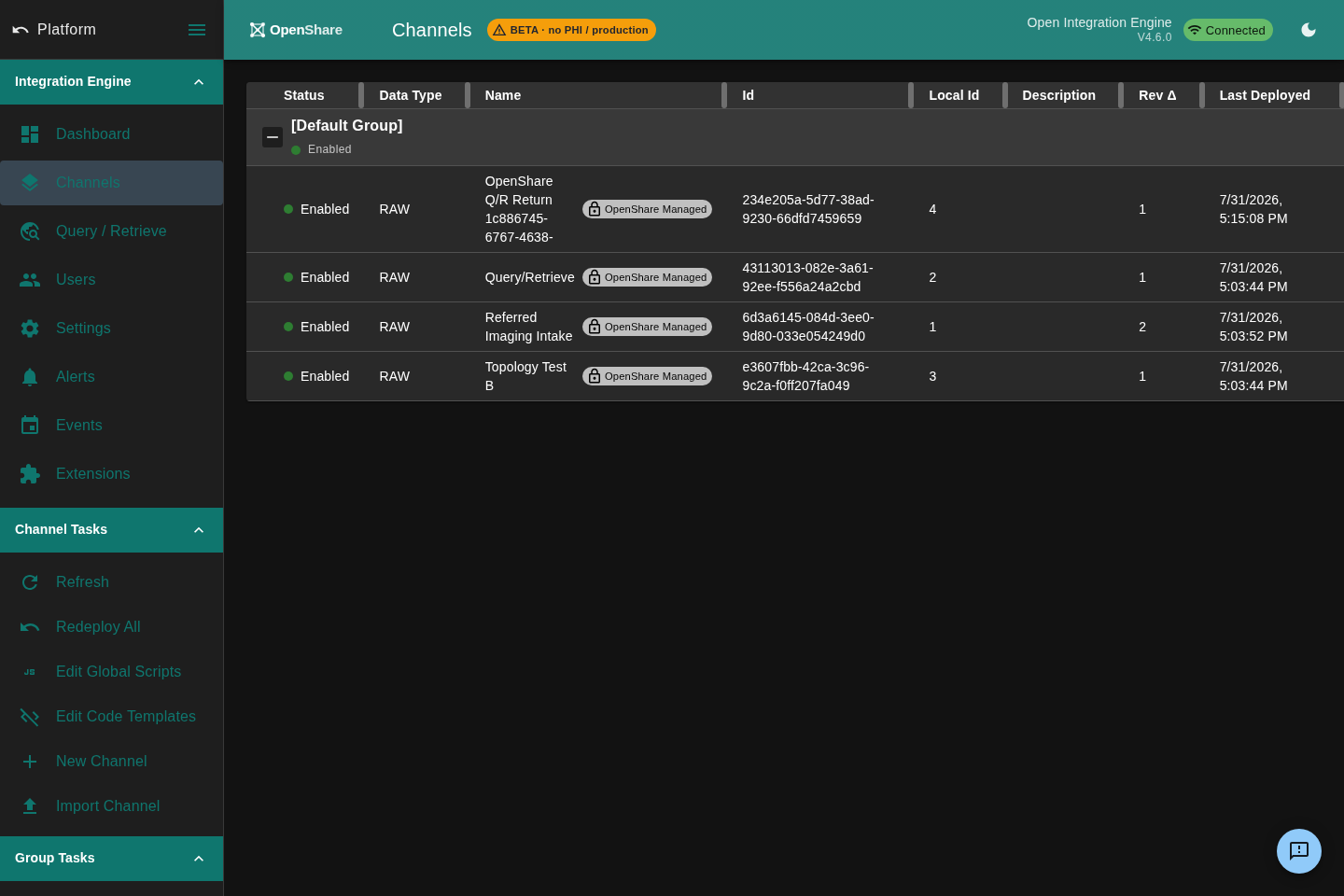
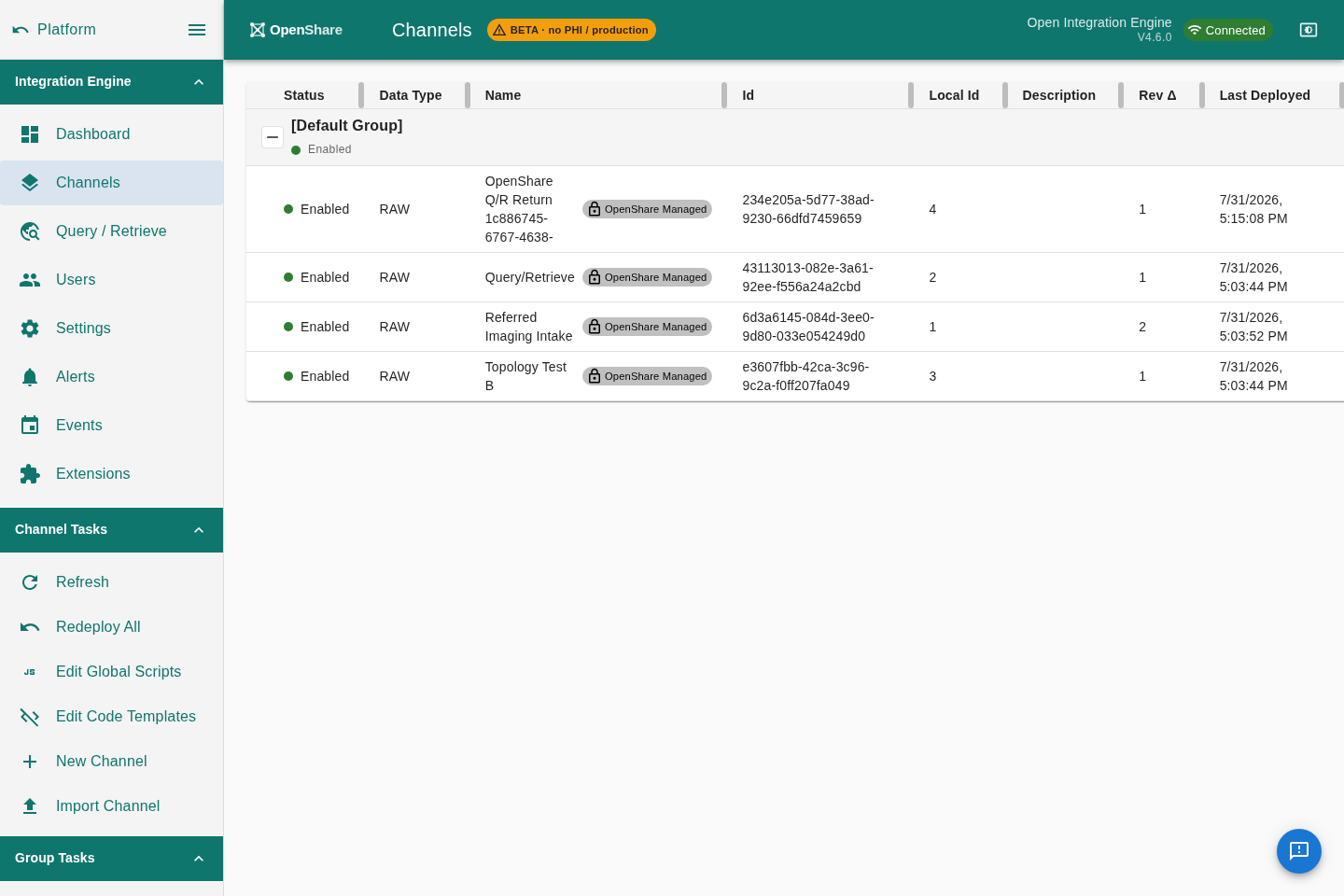
Once the plugin is in, your team reaches the engine through OpenShare Console in any browser. Channels, messages, monitoring, and DICOM, in one tab, on any machine, with no Java client to install and keep current.
- Channel browsing with syntax highlighting
- Message browser with search and filter
- Live channel health and outage alerts
- Every server you run, in one session
Two ways in. Neither is a migration.
Let the console build it for you
Register a server, then download a plugin that already knows which server it is. Its registration credentials are baked in and single-use, so there is no token to copy and nothing to paste. Drop it in, restart, and it registers itself. The server page shows the progress as it happens: downloaded, registered, paired.
Install it into the engine you already run
Drop the plugin into the extensions folder of your existing Mirth Connect or OIE server and restart. Your channels, transformers, extensions, and API are untouched. Nothing about the engine changes except what you can now do with it.
The download carries single-use credentials for one server, so treat it like a password. It expires on a window you choose, and you can reissue it at any time.
Works with the engine you already have.
The same plugin, the same install, on Mirth Connect, the Open Integration Engine, or BridgeLink, regardless of version.


Nothing is reachable until you say so.
Registering a server exposes nothing. Every path to it is something you granted, to someone you named, and can take back.
Grants are scoped to one channel
A grant is permission for one specific partner to use one specific channel. Not the server, not the network, not everything you run. You offer it, or they request it, and it does nothing until it is approved.
Sharing a server is a choice, twice over
Share a server as Operator (read-write) or Viewer (read-only, where write actions are blocked in the interface), or share metrics only, which grants no tunnel and no connection at all. Read-only is the default posture, not an afterthought.
Nothing connects without an approval
The peering request, the grant, the connection, and the server share are each accepted by the receiving side before anything moves. An offer sitting in an inbox is not access.
Revoking is immediate
Revoke a grant and the connection that depended on it is torn down. Revoke the agreement and every connection derived from it terminates at once. A revoked partner cannot reconnect, and the history stays in the audit log.
Your server speaks first.
Nothing dials in.
The plugin opens a single outbound, encrypted connection. Your firewall keeps doing its job: no inbound rule, no forwarded port, no DMZ, no public address. There is nothing new for an attacker on the outside to knock on.
Traffic between your browser and your server is encrypted end to end with WebRTC DTLS. OpenShare brokers the introduction and carries the signaling. It is not in the conversation. Where a strict network forces traffic through a relay, the relay forwards encrypted bytes it cannot read.
- Outbound only. Zero inbound ports.
- End-to-end encrypted with WebRTC DTLS
- Works behind strict NAT and corporate firewalls
- No change to your network configuration
Questions
No. The plugin installs into the Mirth Connect or OIE server you already run. Your channels, transformers, extensions, and API stay exactly as they are. There is no migration, no re-platform, and no schema change.
It is fork-agnostic. The same plugin installs the same way on Mirth Connect, on the Open Integration Engine (OIE), and on other Mirth Connect compatible forks, regardless of engine version.
No. The plugin makes a single outbound connection. Nothing dials in to your server, so your firewall stays closed to the outside world: no port forwarding, no DMZ, no inbound rules.
Only what you publish. Nothing on a registered server is reachable by anyone until you grant it. A grant is permission for one named partner to use one channel, and you can revoke it at any time. Revoking is immediate and tears down the connection that depended on it.
No. Traffic between your browser and your server is end-to-end encrypted with WebRTC DTLS. OpenShare brokers the introduction and carries the signaling, and it is not in the conversation. Where a strict network forces traffic through a relay, the relay forwards encrypted bytes it cannot read.
Keep your engine. Take back the console.
Free to run on your own servers. Install it this afternoon; your channels never move.
